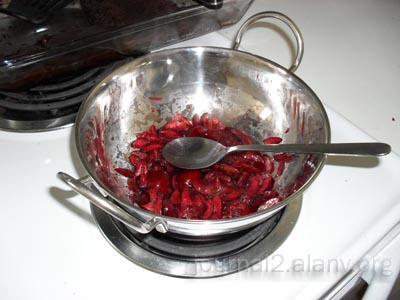
Dinner today was a salad with mushrooms, grilled garlic-herb salmon, and some jalapeno cheese bread. It was fairly good.
I’m also currently working on a new incarnation of PPA TCG/Student Wars called People Wars:

Really though, I’ve lately been feeling like I’ve lost all my passion for things in my life.
I used to enjoy designing webpages. The last website I designed was my photos2 layout, and that was over a year ago.
I used to enjoy writing code in my free time. The last bit of code I wrote “for fun” was the backend for life.alanv.org, and that was mainly because I wanted a way to share photos (so more out of necessity than desire to code). I have a bunch of project ideas in my head that want to be turned into applications, but for which I can’t find the desire to work on.
I used to enjoy creating card games. Even as I work on People Wars, I keep feeling like it’s not something I really want to be doing. The past 3 or 4 TCGs I’ve started work on have stalled in various non-playable states. The older TCGs I used to like working on haven’t been updated in years (PSO TCG?).
I used to enjoy photography. Lately though, every time I pull out my camera, I feel more and more like I’m compensating for my utter lack of social skills. I rarely look through the photos I take anymore. I don’t really sort or tag the photos I take anymore. When I take photos, it no longer brings me the joy it used to. (Even the recent fourth of July and related photos were sorted mainly out of a sense of obligation rather than a desire to do so, and they still haven’t been tagged.)
I guess the purchase of the point-and-shoot was an attempt to get me interested again, but part of me is doubting that it will work… in particular after yesterday’s picnic where I kept finding myself wishing I had left my camera at home and was forcing myself to interact on a less superficial level.
I used to enjoy spending time around people. More and more, however, it feels like I’m incredibly out of place. There are times when, no matter what is happening, I can’t get myself interested. When there are people over I increasingly spend more and more time alone in my room clicking through the same 4 webpages or listening to the same dozen songs over and over. I simultaneously feel like I want more social interaction and social interaction would only serve to make me miserable and feel even more left out.
I used to be passionate about work and look forward to heading in to work every day. Lately though, it’s become more “same old, same old,” and I get up and get dressed and head to my desk every day out of necessity. Part of this may be the bad couple weeks I’ve been having WRT work, but I feel that it’s likely part of the larger issue where I’m losing interest in everything.
I guess I’m not entirely sure what’s wrong with me, other than I wish I had something I actually enjoyed doing instead of having a bunch of things I do to pass the time. Hopefully this is nothing more than a small rut and I’ll find my interests again. Maybe it’s time to go out and seek new interests. I want to enjoy, rather than simply live, life again. I just can’t seem to find activities that allow me to do that in the same way that I once did.
I should thank Greg, Tim, Ian, Mars, and Dan though. Sometimes I feel like you guys are the only thing keeping me sane, and when we play games or just talk, everything feels like it used to and I find myself being interested in things again.
Meh.
(I suppose this should include a small disclaimer that there’s still one thing I’m passionate about. You know who you are, and I hope that never changes.)